
Online Writing Software: Write Your Novel From Any Device
Last updated: November 2026
 By Gabrielle Dorval, founder of Inkbound
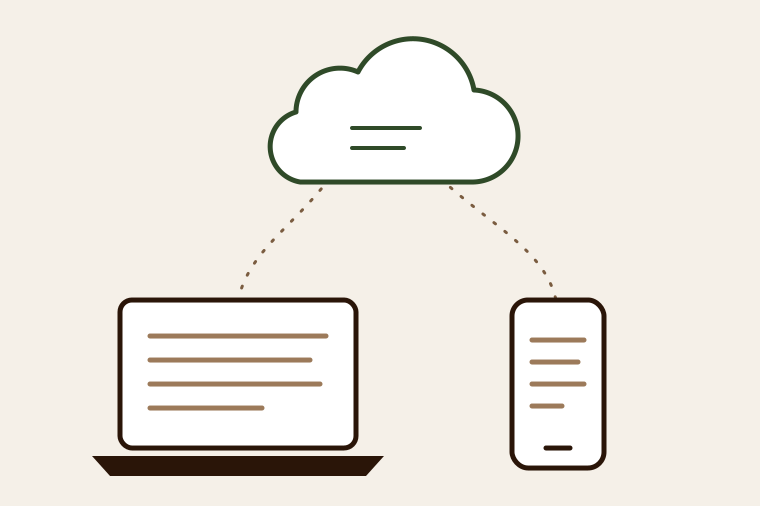
Tuesday night, you finish a scene on the living room computer. Wednesday at lunch, a line of dialogue comes back to you at work: you open the chapter on your phone and fix it. That evening, the scene is up to date on the computer. No USB stick, and no "novel_v4_FINAL_really.docx" emailed to yourself. That's what online writing software promises. It comes at a price, and you should know that price before you trust a tool with your novel. I build online writing software myself, Inkbound: I cover it below, limits included.
In short: online writing software opens in your browser, with nothing to install, and keeps your novel up to date on every device. In exchange, it needs an internet connection. Before you pick one, check six things: saving, version history, working without a connection, export, who can read your text, and the pricing model.
What online writing software changes in practice
With installed software, your manuscript is a file sitting on one machine. With online software, it lives on a server, and each device is just a window onto it. There's nothing to install or update, and a computer that dies no longer costs you your novel.
There's a flip side, and it gets its own section below: without a connection, the window closes.
6 things to check before choosing online writing software
- How often it saves: a few seconds after your last keystroke, or once a minute?
- Version history: can you compare two states of a chapter and go back?
- What happens offline: a real offline mode, or nothing at all?
- Import and export: can you bring in an existing Word manuscript, and does your novel come out in open formats (.docx, .odt, .txt, ePub)?
- Who can read your text: the company, its partners, an AI training on it?
- The pricing model: subscription or one-time payment, and what happens to your text if you stop paying?
Saving and versions
Autosave is only as good as its frequency. One minute between saves, on a night when the words are flowing, is a whole paragraph. Look for a tool that saves shortly after every pause in your typing and shows you when it's done.
Version history protects you from something else: yourself. You rewrite a chapter at 11 p.m., reread it the next morning, and the first version was better. Without history, it's gone. Ask how many versions the tool keeps, and whether it can show you what changed between two of them instead of just listing them.
Export, your way out
It's the criterion people check last. Yet it's the one that matters the day you switch tools, or the day an agent asks for the full manuscript. Your novel should come out in one click, in a format any word processor opens. If the only way to get it back is to copy and paste each chapter, the software is holding your manuscript hostage.
Check the other direction too. If your novel is already underway in Word, an import that splits the file into chapters saves you hours of copying and pasting.
Who can read your text
Your novel sits on someone else's server, so the question is fair. Look for the answer in black and white, in the privacy policy. Who can technically open your text? Is it used to train an AI? If the tool has built-in AI or a grammar checker, also ask what gets sent to an outside service, and when.
The price over the life of a novel
Many online writing tools charge a monthly or yearly subscription. Do the math over the full length of a novel, often two or three years between the first line and the last revision: at $10 a month, two and a half years of writing costs $300. Also read what happens to your text the day you stop paying. Can you still read and export it, or does the account close?
The limit to face squarely: the connection
An online tool needs the internet. If you often write on the train or at a cabin with no signal, that's a constraint, and no sales pitch makes it go away.
There are two cases. Some tools keep a working copy on your device and sync it when the connection comes back; ask what happens when the same chapter was edited on two devices. Others have no offline mode at all. Then you need a plan B: export the chapter you're working on before you leave, write in a local document, and paste it back in when you return.
What Inkbound offers, and what it doesn't yet
Inkbound runs entirely in the browser, on a computer, tablet or phone, with nothing to install.
- Saving: the chapter saves two seconds after your last keystroke, and "Auto-saved ✓" appears when it's done.
- Versions: while you write, Inkbound keeps a version of the chapter at most every ten minutes, up to 50 versions per chapter. You can compare two versions word by word and restore one in a click.
- Import and export: exporting to PDF, Word (.docx), LibreOffice (.odt), ePub and plain text (.txt) is included on the free plan too. Importing a Word or LibreOffice file is part of Premium.
- Privacy: your chapters are only accessible to your account, a rule enforced by the database itself, and they aren't used to train any AI. The details are on the Your stories belong to you page.
- Offline: there's no offline mode yet. If the connection drops mid-session, your text stays on screen: keep the tab open and stay on the chapter until you're back online, and saving resumes with your next keystroke. An Android app is in the works, but it isn't available yet.
As for price, the free plan gives you two projects, with no time limit. Premium costs $20 USD as a one-time payment (launch price): unlimited projects and AI voice dictation, no subscription.
Who it's the right choice for
Online writing software suits you if you mostly write at home or at the office, if you often switch devices, or if you've ever lost a file while moving it. Writers who've been through Scrivener's Dropbox sync conflicts know the feeling; we cover it in our article on a Scrivener alternative for multiple devices.
It suits you less if you regularly write without a connection. Installed software, or a tool that works offline, will suit you better. To compare the options one by one, see our novel writing software comparison.
Happy writing!
Frequently asked questions
What's the best free online writing software?
It depends on how you write, but check the export options and the free plan's limits first. Google Docs is free and everywhere, but it isn't built for novels (see our Google Docs alternative for novels). Inkbound gives you two free projects with no time limit, with every export format. More in our article on free novel writing software.
Can you write a novel on your phone?
Yes, with online software: your phone's browser opens the same chapters as your computer. For long sessions a keyboard is more comfortable, but a phone is enough to jot down an idea or fix a line of dialogue.
Is there an online version of Scrivener?
No. Scrivener is installed software (Windows, macOS and iOS), with no web version and no Android app. Moving between devices means syncing the file yourself.
Is my novel safe online?
Autosave protects you from a device failure, and version history from a bad rewrite. For extra safety, export your manuscript to Word or PDF regularly and keep that copy at home.
Do I need to install anything to use Inkbound?
No. Inkbound runs directly in your browser.
Can I write without an internet connection in Inkbound?
Not yet: you need a connection to open your chapters. Export the chapter you're working on before a trip with no signal.