
Frequently Asked Questions
Projects, Premium, voice dictation, privacy, export: answers to the most common questions about Inkbound.
What is Inkbound?
Inkbound is a writing app built for novelists: manage your chapters, characters, world (the Codex), and notes all in one place, with automatic saving.
How many projects can I create?
The free version allows 1 project. Premium unlocks unlimited projects.
What exactly does Premium unlock?
Premium unlocks unlimited projects, AI voice dictation (Mistral), no ads, and access to all future features.
Is the Premium payment a subscription?
No, it's a one-time payment of $20 (the platform's launch price, which will increase later) that gives lifetime access to all Premium features.
Can I get a refund if Premium isn't for me?
Yes. If Premium isn't right for you, you have 10 days after purchase to request a full refund, no questions asked, through the contact form on the homepage.
How does voice dictation work?
Basic dictation uses your browser's built-in speech recognition. Premium members get access to AI dictation powered by Mistral, which is more accurate and handles punctuation better. AI features use your own free Mistral API key: your text goes straight from your browser to Mistral, Inkbound never sees or stores it.
I paid for Premium. How do I activate Mistral?
Open a chapter and just click the mic "Dictate" button in the editor's sidebar. Since you're Premium, a popup will ask for your Mistral API key the first time: create a free account (no credit card) at console.mistral.ai, generate an API key under "API keys", then paste it into the popup and click "Enable". AI dictation starts right away, and stays on for every dictation after that.
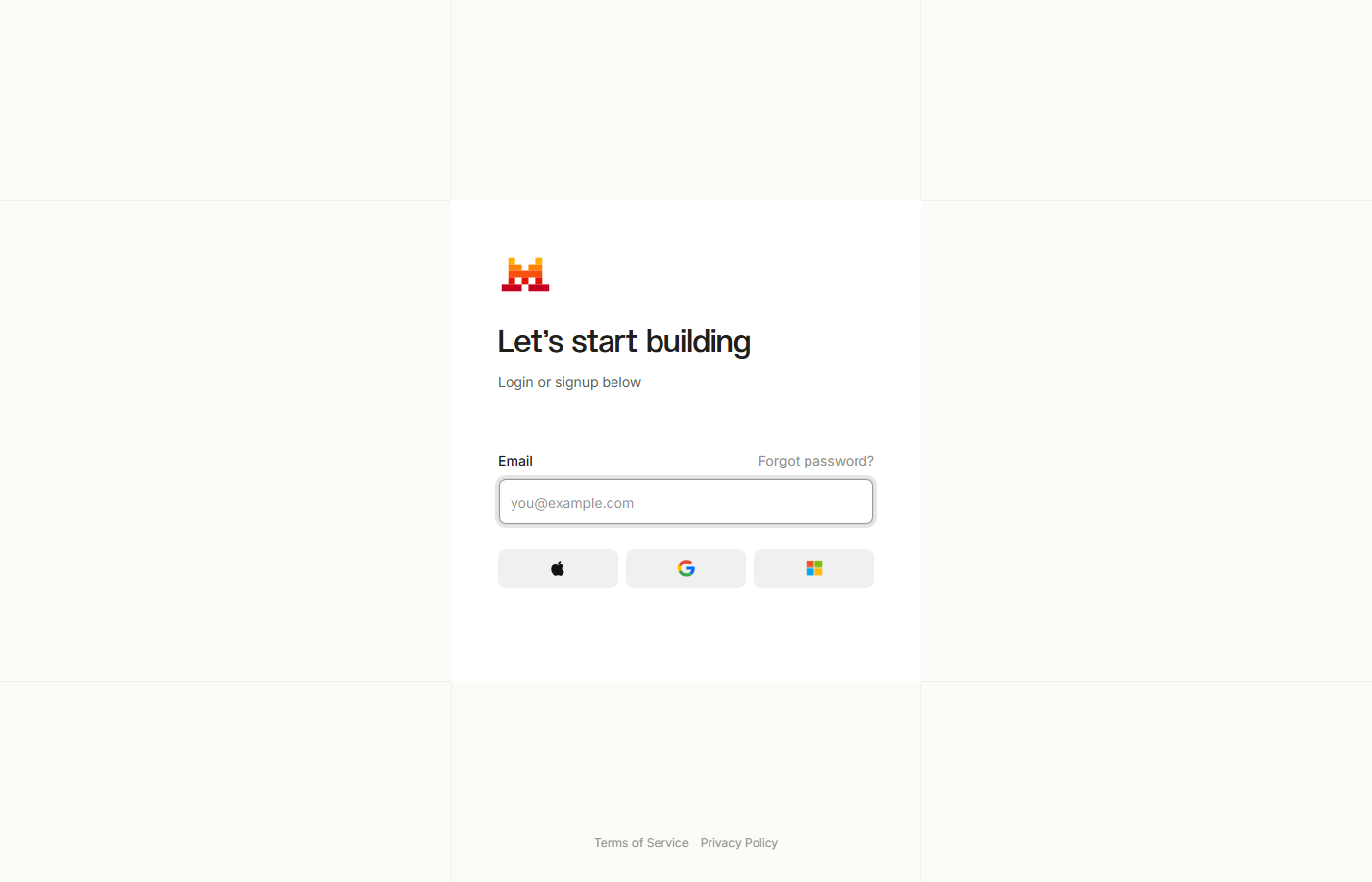
1. At console.mistral.ai, create a free account (email or Google/Microsoft/Apple).
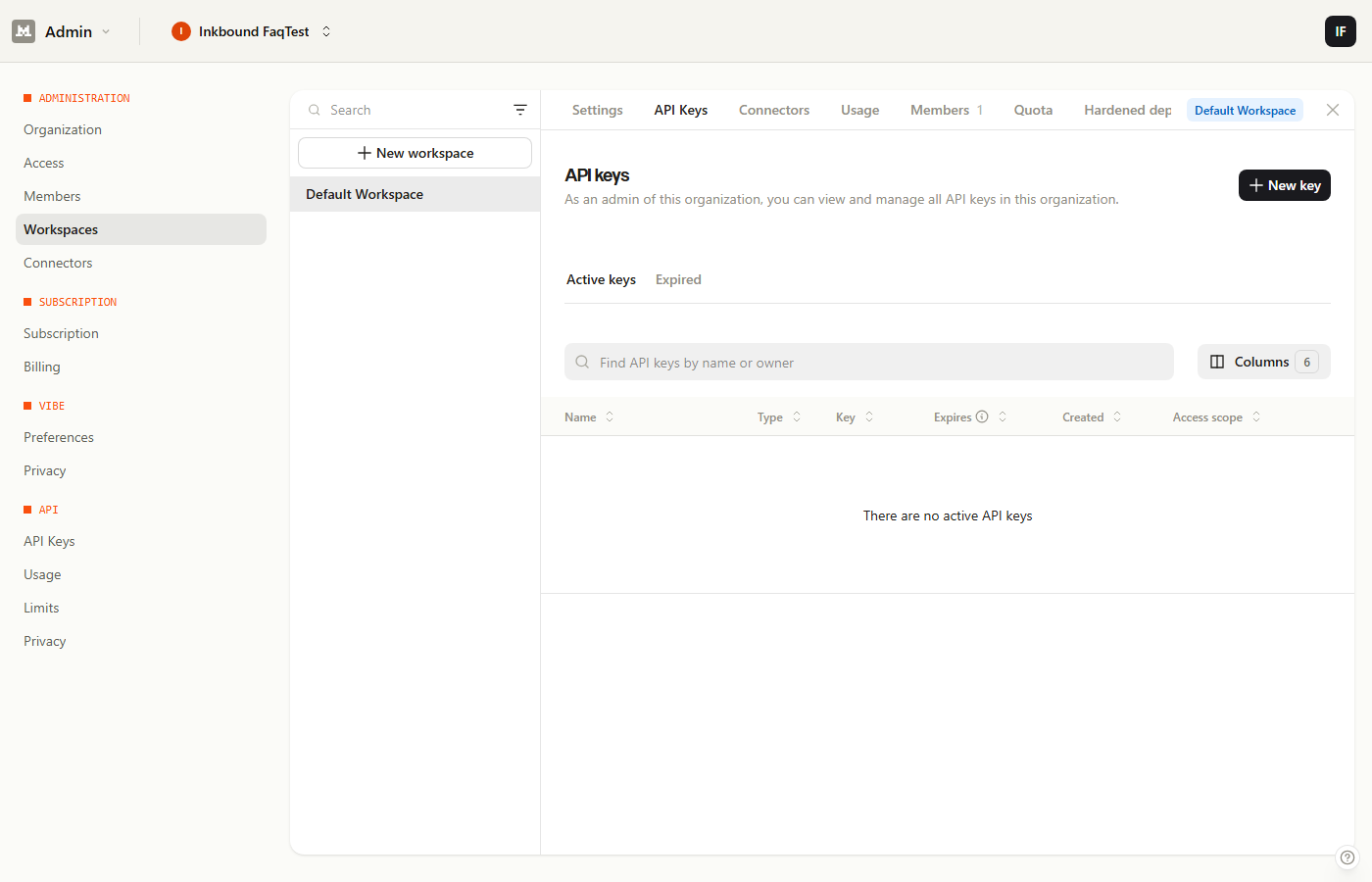
2. Under "My API Keys", click "Create new key".
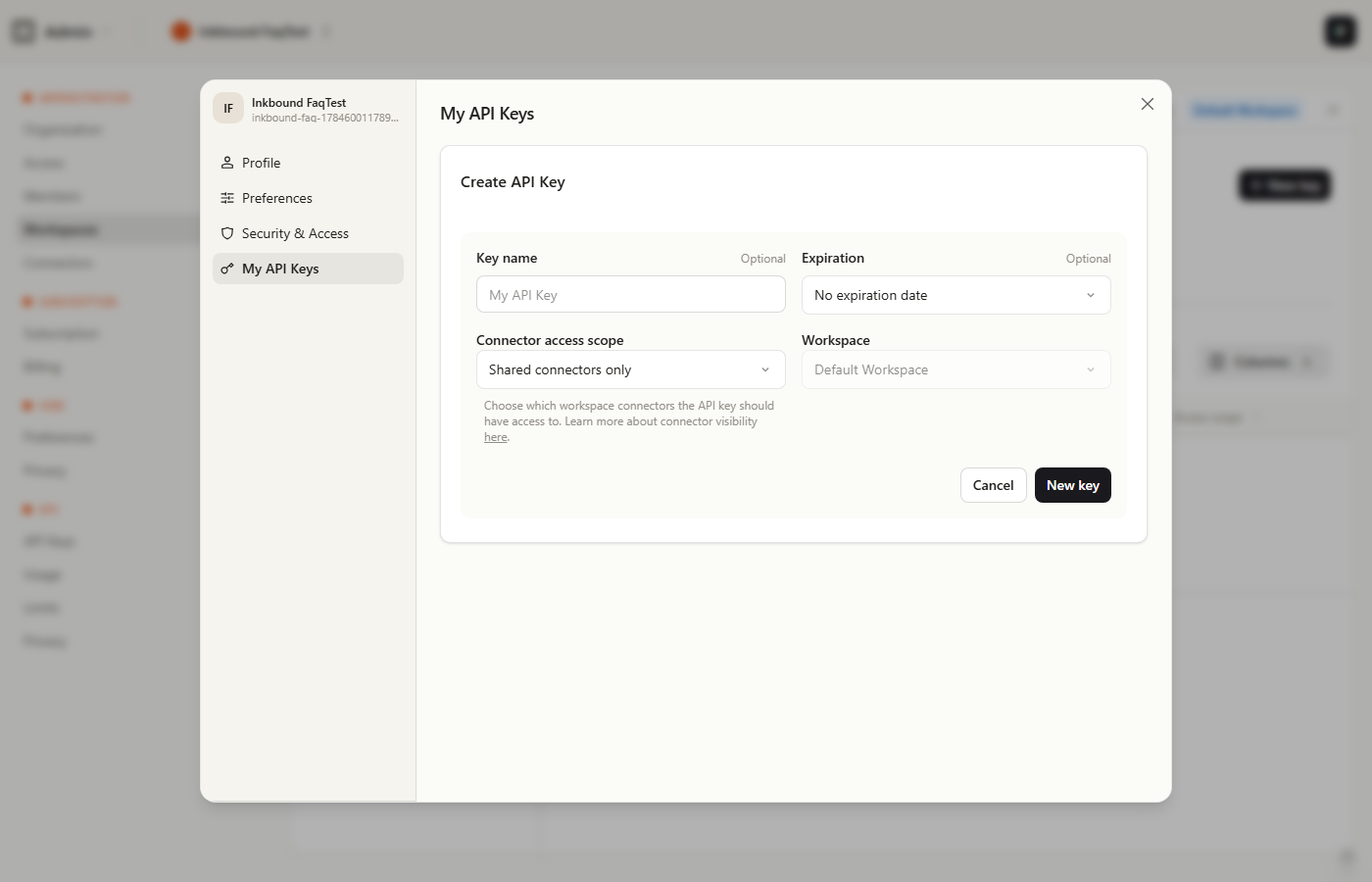
3. Give your key a name (e.g. "Inkbound") and click "New key". Copy the key shown — it's only displayed once.

4. In Inkbound, open a chapter and click the mic "Dictate" button in the editor's sidebar.
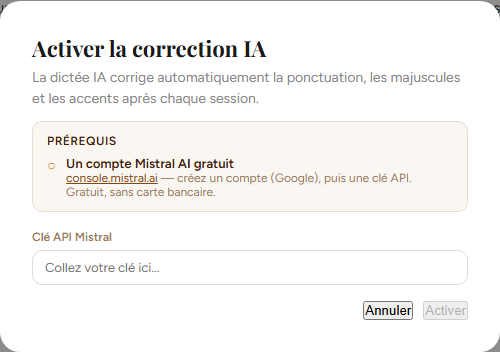
5. Paste your Mistral API key here, then click "Enable" — dictation starts immediately.
Is my text saved automatically?
Yes. While writing a chapter, your work is saved automatically — you'll see an "Auto-saved" message appear.
Can I export my novel?
Yes, from the project Overview you can export to PDF, Word (.docx), .txt, or send your text by email.
How does search and replace work?
The Search section lets you find a word or phrase across all your chapters, and replace one or all occurrences found.
What is the World (Codex) for?
The World section lets you organize your universe by categories (locations, magic, politics, wildlife, etc.). These elements are then available in the Codex while you write a chapter.
How do I manage my characters?
The Characters section lets you create detailed character sheets and build a relationship map between your characters.
Can I change the app's appearance?
Yes, you can enable dark mode and choose from several color palettes (Adventure, Mystery, Romance, Fantasy, etc.) from the picker at the top of the screen.
Does Inkbound work offline?
Not yet: Inkbound needs an internet connection to access your chapters. An Android app with better offline support is in the works.
Is Inkbound a mature product?
Inkbound is young compared to tools that have been around for 15 years, and its community is still small. It's actively developed, and every feature comes from a real need from novelists.
Is my data and writing private?
Yes. Your text travels over an encrypted connection, the same kind a bank uses, and every project is isolated at the database level itself: even if there were a bug, no one but you can see your stories. Your password is turned into an irreversible code before it even reaches us; if you sign in with Google, we never see it at all. If you use AI dictation or character detection, your text goes straight from your browser to Mistral using your own key: we never see it or store it on our end. Payments go entirely through Stripe: we never see your card number. And you stay in full control, you can delete a chapter, a character, or your whole account at any time.
Can Mistral use my text to train its models?
By default at Mistral, yes — unless you turn it off yourself. This is a setting on your own Mistral account: Inkbound can't enable or view it on your behalf, since it's your personal key. To disable it: sign in at admin.mistral.ai, open the "Privacy" menu, then turn off "Anonymous improvement data". Note that even with it off, Mistral still keeps your exchanges for 30 rolling days for abuse monitoring before deleting them.
Can I change the interface language?
Yes, the FR/EN button at the top of the screen switches the interface between French and English at any time.
How do I delete a chapter, character, or project?
Each item has a delete option (trash icon). You'll be asked to confirm, since this action is irreversible.
I have an issue or a suggestion, how do I contact you?
Use the contact form available on the home page, at the bottom.